
Team calls
Team Calls (Coaching, then Calls) lists every call you are allowed to see: your Team's calls if you are an SE Manager, or the whole organisation's if you are an SE Admin. Click any row to open that call's analysis.
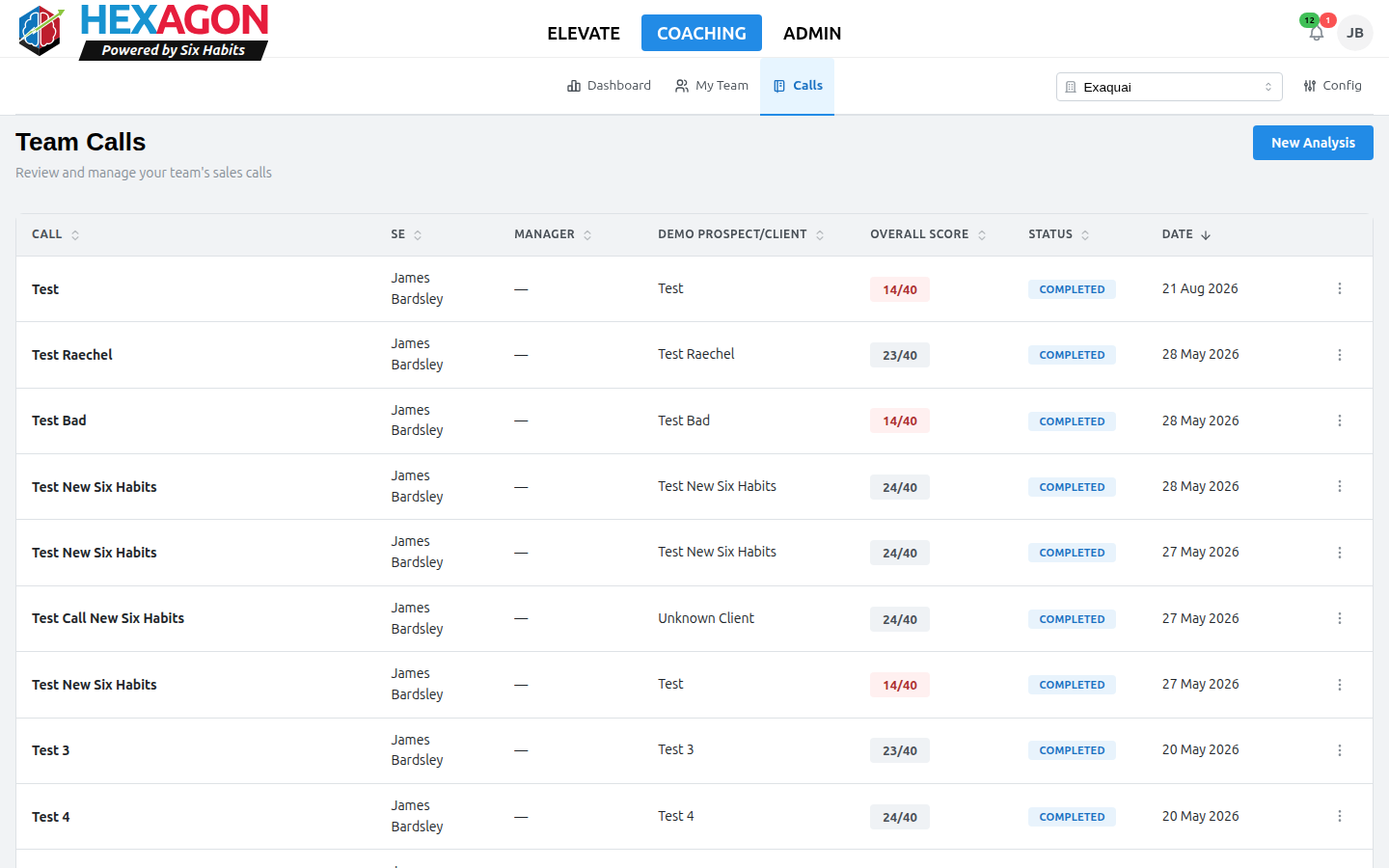
The table
| Column | What it shows |
|---|---|
| Call | The call's title |
| SE | Who ran the demo |
| Manager | The SE's manager or managers, or a dash if they are on no Team |
| Demo Prospect/Client | The company the demo was for |
| Overall Score | A coloured badge showing score out of 40, or a dash if the call has no score yet |
| Status | Completed, Processing or Failed |
| Date | The call date, or the upload date if no call date was given |
Newest calls come first, ten to a page. Click a column header to sort, or to add a filter on the Call, SE, Manager, Prospect and Status columns. The Export button offers Excel, PDF or an image of the table.
New Analysis at the top right starts a new upload, the same as on the Elevate tab.
Row actions
The three-dot menu at the end of a row holds two actions. The menu only appears when there is something you are allowed to do.
Re-analyse call runs the whole analysis again against the current rubric. Every metric is re-scored, so scores are likely to change. Any manager marks (focus areas, scores and notes) are kept, and no credit is used. New results replace the old ones within a few minutes.
SE Managers and SE Admins can re-analyse Failed calls. Re-analysing a completed call is something only the platform's administrators can do.
Delete call is only available to the platform's administrators. It removes the call, its transcript, its analysis and any manager marks, for everyone, and the call stops counting in team metrics. This cannot be undone. If the call was still processing, its credit is returned.